Linux Operating System: A Complete Guide for Beginners
Introduction of Linux Operating System
The Linux operating system has become one of the most trusted platforms for personal computers, servers, cloud computing, and software development. Unlike many commercial operating systems, Linux is open source, giving users the freedom to view, modify, and distribute its source code. This flexibility has helped Linux grow into a reliable system used by individuals, businesses, universities, and large technology companies around the world. Whether you are a student learning programming, a developer building applications, or someone looking for a secure and stable operating system, Linux offers a practical solution. Its speed, customization options, and strong security make it an excellent choice for both beginners and professionals.
What Is Linux Operating System?
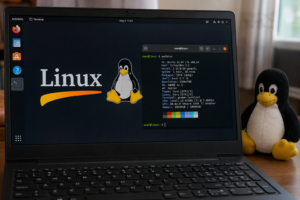
Linux is an open-source operating system based on the Unix architecture. It acts as the bridge between computer hardware and software, allowing programs to run smoothly while managing system resources like memory, storage, and processing power. The Linux kernel was first created by Linus Torvalds in 1991. Since then, developers worldwide have continuously improved it, creating various Linux distributions designed for different needs and skill levels. Today, Linux powers everything from personal laptops to web servers, smartphones, smart TVs, supercomputers, and cloud infrastructure. How Linux Works At its core, Linux consists of several important components that work together. Linux Kernel The kernel is the heart of the operating system. It manages hardware devices, memory allocation, CPU scheduling, and communication between software and hardware. Shell The shell provides an interface where users can interact with the operating system using commands. Popular shells include Bash, Zsh, and Fish. File System Linux stores files in a hierarchical directory structure beginning from the root directory (/). Every file, folder, and device follows this organized structure. Applications Linux supports thousands of free and commercial applications for productivity, programming, multimedia, networking, and gaming.
Popular Linux Distributions
One of Linux Operating System biggest strengths is the variety of distributions available. Each distribution serves different users and purposes.
Ubuntu
Ubuntu is one of the most beginner-friendly Linux Operating System distributions. It offers an easy installation process, regular updates, and excellent community support.
Fedora
Fedora focuses on delivering the latest technologies and is widely used by developers and software enthusiasts.
Debian
Debian is known for its exceptional stability and reliability. Many other Linux Operating System distributions are based on Debian.
Linux Mint
Linux Mint provides a familiar desktop environment, making it an excellent choice for users switching from Windows.
Arch Linux
Arch Linux is highly customizable and preferred by experienced users who want complete control over their Linux operating system.
Key Features of Linux
Linux includes many features that make it stand out from other operating systems. Open Source Anyone can inspect, modify, and distribute Linux because its source code is publicly available. Strong Security Linux includes built-in security features such as user permissions, firewalls, encryption, and regular security updates that help protect systems from malware and unauthorized access. High Stability Many Linux servers run continuously for months or even years without requiring a restart, making it ideal for business environments. Fast Performance Linux uses system resources efficiently, allowing it to perform well even on older hardware. Customization Users can personalize nearly every aspect of Linux, from desktop appearance to system functionality. Multiuser Support Linux allows multiple users to work on the same system while maintaining separate accounts and permissions.
Advantages of Using Linux
Using Linux provides several important benefits. Free to download and use Excellent system stability Strong protection against viruses Large open-source software library Ideal for programming and development Efficient resource management Highly customizable interface Active global community support These advantages make Linux suitable for education, businesses, developers, and home users alike. Common Uses of Linux Linux is widely used across many industries because of its flexibility and reliability. Web Hosting Most websites on the internet run on Linux servers due to their performance and security. Software Development Developers prefer Linux because it supports multiple programming languages, development tools, and package managers. Cloud Computing Major cloud platforms rely heavily on Linux because it offers scalability, stability, and efficient resource management. Cybersecurity Ethical hackers and security professionals frequently use Linux-based distributions designed specifically for penetration testing and digital forensics. Embedded Systems Linux powers smart devices, routers, industrial machines, and Internet of Things (IoT) devices.
Basic Linux Commands Every Beginner
Should Know Learning a few simple commands can help new users become comfortable with Linux. pwd – Displays the current directory. ls – Lists files and folders. cd – Changes directories. mkdir – Creates a new folder. touch – Creates an empty file. cp – Copies files. mv – Moves or renames files. rm – Deletes files. cat – Displays file contents. sudo – Executes commands with administrative privileges. Mastering these commands forms the foundation of working efficiently in Linux. Linux vs Windows Although both operating systems perform similar tasks, they differ in several important ways. Feature Linux Windows Cost Free Paid license Source Code Open source Closed source Security Highly secure More frequent malware targets Customization Extensive Limited Performance Lightweight Higher system requirements Updates User controlled Mostly automatic The right choice depends on your needs, experience, and software requirements.
Tips for Beginners
If you’re new to Linux, start with a beginner-friendly distribution like Ubuntu or Linux Mint. Spend time learning basic terminal commands while also exploring the graphical interface. Join online Linux communities, read documentation, and practice using the system regularly. The more you experiment, the more confident you will become.
Conclusion
The Linux operating system has earned its reputation as one of the world’s most dependable and flexible computing platforms. Its open-source nature, strong security, excellent performance, and endless customization options make it suitable for users of all experience levels. Whether you want a secure personal computer, a powerful development environment, or a reliable server operating system, Linux offers the tools and stability needed to get the job done. By learning the basics and practicing regularly, you can unlock the full potential of this powerful operating system.